Deep Recovery - Restore All
- 4.2
- Rating
- 500.00K
- Installs
- Free
- Price

 Analysis by App-foxy
I approached Deep Recovery - Restore All as a practical tool rather than a promise that every lost file can magically return. Its purpose is straightforward: help you look for deleted photos, videos, and other files from an Android device. That makes it most interesting after an accidental deletion, when the priority is to check recovery possibilities quickly instead of spending time learning a complicated desktop program.
My overall impression is that it is easy to understand, free to use, and aimed at ordinary phone owners rather than technical users. It comes from Mario Cesar Berardo and sits in the Tools category, with an Everyone content rating. The app has reached over 500,000 installs and holds a 4.2 average from around 1,400 ratings, which suggests that many people find the basic idea useful while the experience is not perfect for every situation.
What the recovery process feels like in everyday use
The first thing I would tell a friend is to act before filling the phone with new content. When a photo or video disappears, new downloads, camera shots, app caches, and updates can occupy the same storage areas where older information may still be recoverable. Deep Recovery - Restore All cannot change that underlying limitation, so opening it soon after the mistake is a sensible habit.
You May Also Like

 Blood Strike: 2.5 Anniversary
Blood Strike’s Loadouts Turn Every Drop Into a Tactical Gamble
A close look at Blood Strike’s custom loadouts: how fast access to signature weapons reshapes its battle royale rhythm, rewards preparation, and narrows the gap between fights.

 Pandora - Music & Podcasts
Pandora’s Music Is Easy to Start, but Harder to Recover
Pandora’s strength is its low-effort path from a seed to a station. Its weak spot is how much confidence it asks you to place in connection, setup, and quiet recovery.

 8 Ball Pool
 Is Built on Rivalries, Rematches, and Routine
A close look at the rivalries, rematches, shared routines, and unanswered safety questions that turn a quick pool match into a persistent mobile community.

 Samsung Music
’s Quiet Strength Is Playing What You Already Own
Its reach comes less from spectacle than from dependable access to a personal library. That simplicity is both the app’s strongest retention engine and its ceiling.

 AccuWeather: Weather Radar
AccuWeather Review: A Quick, Clear Forecast for Everyday Decisions
For everyday plans, the best forecast is the one you can understand quickly. AccuWeather makes rain timing, radar, and local conditions easy to act on, with a few trade-offs.

 Hill Climb Racing
Why Hill Climb Racing Still Turns Crashes Into One More Run
A tiny car, a bumpy hill and one more upgrade: Hill Climb Racing keeps resurfacing because its simple chaos makes every near-miss feel personal.
More From Our News Desk



The app’s appeal is its direct workflow. Instead of beginning with a computer, a cable, and a desktop recovery suite, you can start on the phone that contained the deleted material. That matters in a real situation: imagine deleting a set of family photos while clearing storage, then realizing the mistake on the bus. A mobile recovery tool gives you an immediate first check, even if you are away from your computer.
I would not interpret “in seconds” as a guarantee that every scan or restoration finishes instantly. Recovery speed depends on how much storage must be examined and how busy the device is. The useful expectation is that the app lets you begin the search quickly. The final result still depends on whether the deleted data remains accessible and whether the phone has already reused that space.
Why early action matters more than repeated scanning
A common mistake is to keep taking photos or downloading large files while deciding what to do. That creates a trade-off: a second scan may feel reassuring, but continued phone use can reduce the chance of finding intact remnants. I would first stop unnecessary activity, connect to a stable power source if the search is lengthy, and review the results carefully before trying anything else.
Another practical point is where you save recovered material. Restoring a file to the same heavily used storage area can make organization harder and may create avoidable conflicts. If the app offers a choice of destination on your device, I would choose a separate folder and immediately copy important results elsewhere. The safest workflow is recovery first, verification second, and normal phone use only after the recovered files are secure.
Photos, videos, and general files are not equally easy
Photos are usually the simplest kind of recovery target for a casual user because you can recognize a thumbnail or open the result immediately. Videos deserve more patience. A result may appear with a generic name, take longer to process, or require you to play the complete file before deciding that it is usable. I would check both the beginning and the middle of a recovered video rather than trusting a preview alone.
Documents and miscellaneous files require a different approach. A recovered file can have an unfamiliar name or extension, so the file manager or the original app may be needed to confirm it. If you are looking for a work document, do not assume that seeing a result means the contents are intact. Open it in the appropriate editor and check several pages or sections before deleting other copies.
The most useful habit is to treat recovery as a sorting task, not a one-tap miracle. Preview what you can, separate valuable results from duplicates, and keep the original recovered files untouched until you know which versions are complete.
Speed expectations and what affects a scan
Deep Recovery - Restore All is attractive when speed means “I can start now.” Its mobile format removes the setup delay associated with a computer-based alternative. That is particularly helpful for someone who is not comfortable with technical software. The app’s current version is 1.11, and it runs on Android 7.0 or later, so it is available to a broad range of Android phones without requiring a recent flagship device.
Still, perceived speed is not the same as recovery quality. A fast result list may contain only easily visible remnants, while a deeper examination can take more time. Storage size, free space, file type, and the amount of activity since deletion all influence the experience. I would judge the app by how clearly it helps me inspect possible results, not only by how quickly the first screen appears.
For a small accidental deletion, the process may feel pleasantly immediate. For a phone packed with years of media, expectations should be more modest. Large video collections are especially demanding because they involve bigger files and more content to review. If the device becomes warm or sluggish, I would pause rather than repeatedly restarting the process. A cooler, less busy phone is a better environment for any storage-intensive task.
When the phone is under heavy use
Recovery is not something I would run while recording video, playing a demanding game, or installing several large applications. Those activities compete for storage and processing resources, and they also produce new files that can complicate the search. The practical compromise is to close unnecessary apps, avoid multitasking, and leave the device alone while the scan is working.
This is also where a mobile tool has a natural limitation compared with a computer. A phone has to remain usable for communication, navigation, and other daily tasks, but the recovery process benefits from quiet conditions. If you need the device continuously during an emergency, a desktop solution may be more convenient because it keeps the search separate from the phone you are trying to protect.
I would also avoid filling the phone with recovered copies before reviewing them. A large batch can consume the remaining free space and make the device feel slower. Recover the most important items first, move them to another safe location, and then continue with less urgent files. That staged approach is more reliable than selecting everything at once.
Stability, reliability, and realistic recovery limits
The app’s stable value is that it gives Android users a simple first attempt at finding deleted content. Its rating and install count indicate that it has attracted a substantial audience, but those figures should not be confused with a guarantee for a particular phone. Recovery depends heavily on what happened after deletion, how the device manages storage, and whether the original data is still available in a usable form.
I would be careful with irreplaceable material. If the missing files are the only copies of legal documents, professional work, or emotionally important memories, Deep Recovery - Restore All is worth trying early, but I would not make it the only plan. Stop using the device and consider a specialist recovery service or a more advanced computer tool when the files are critical. A straightforward app is excellent as a first response; it is not automatically a substitute for professional handling.
Reliability also includes recognizing false confidence. A file name or thumbnail can look promising while the underlying file is incomplete. For pictures, zoom in and inspect details. For videos, play beyond the opening moment. For documents, open and review the content. These checks take longer than simply tapping restore, but they prevent the disappointment of discovering later that the recovered copy is damaged.
What I would do after an accidental deletion
I would stop taking photos, downloading files, and clearing storage.
I would open Deep Recovery - Restore All and begin with the type of content I actually need, rather than trying to recover every file on the device.
I would review previews or file details and select the clearest, most important results first.
I would save those results to a separate location when possible, then open them fully to verify that they work.
I would make a backup immediately, because successful recovery is not the same as long-term protection.
This workflow is more important than any single button in the interface. It reduces unnecessary scanning, limits new storage activity, and gives you a clear way to decide whether the results are genuinely useful.
Device constraints and who should choose another option
The Android requirement is relatively accommodating: phones running version 7.0 or newer can use the app. That makes it relevant for owners of older devices, not only people with current hardware. However, compatibility does not mean identical recovery capability across every model. Different manufacturers, storage systems, security settings, and update histories can affect what an app can inspect.
Users with very little free space should be especially cautious. Recovery results need somewhere to go, and a nearly full phone may struggle with both scanning and saving. I would remove only clearly unnecessary temporary material before starting, taking care not to overwrite the area where the deleted files may still exist. If the phone is unstable, restarting it repeatedly is also not my first choice; every additional change can make the situation less predictable.
The free price is a strong reason to try it before paying for a more complicated service. At the same time, “free” does not make it the best choice for every case. Someone who needs advanced control over partitions, a phone that no longer starts normally, or storage that has been heavily reused should look beyond a basic mobile recovery attempt. A computer-based tool can offer a broader workspace and more detailed controls, while a professional service is more appropriate when the data has serious financial or personal value.
I would also skip it if the files were securely erased, overwritten, or removed long ago and the phone has been used heavily since then. No recovery app can promise success in those circumstances. The sensible role for this tool is early, low-risk investigation—not a guarantee against every form of data loss.
How it compares with the usual alternatives
The most obvious alternative is the phone’s built-in trash or recently deleted area. That option is often easier because it preserves the original file and its normal organization, so I would check it first whenever available. Deep Recovery - Restore All becomes more useful when the item is no longer visible there and you want a broader search.
Cloud backups are another important comparison. A backup service can restore a clean, original copy without asking a recovery app to reconstruct anything from local storage. If your photos were synchronized before deletion, that route is usually preferable. The drawback is that it depends on synchronization having happened in the first place, whereas this app is aimed at checking the device itself.
Desktop recovery programs sit at the other end of the scale. They may be better suited to technical users, larger investigations, or phones that need more detailed analysis, but they bring extra setup and a less friendly learning curve. Deep Recovery - Restore All wins on convenience and immediate access. The desktop route wins when the situation is complex and the user is prepared to spend more time managing the process.
My performance verdict
I see Deep Recovery - Restore All as a useful first-response tool for Android owners who accidentally delete photos, videos, or files and want to check their phone immediately. Its free availability, approachable purpose, support for Android 7.0 and later, and mobile workflow make it easy to justify keeping available before a problem occurs. The Everyone rating also reflects its general-purpose audience rather than a specialist or professional-only focus.
My recommendation comes with a clear condition: use it quickly, use the phone as little as possible beforehand, and verify every recovered file. The app can help you search, but the outcome is shaped by storage behavior and timing. I would not judge it harshly for failing to restore content that has already been overwritten; that is a limitation of the technology, not simply of the interface.
For a casual user who wants a simple attempt after an accidental deletion, I think it is worth trying. For an important investigation, a damaged device, or files that cannot be replaced, I would move to a backup, desktop recovery method, or professional service rather than relying on one mobile app. That balance is the key to using it well: Deep Recovery - Restore All is most valuable as an immediate, low-cost check, not as a promise that every lost file can be recovered.
In the end, I like the practical role it fills. It does not require me to turn a simple mistake into a technical project, and it gives ordinary Android users a chance to act before the situation gets worse. Just keep expectations realistic, protect recovered copies as soon as they appear, and treat regular backups as the real long-term solution.
FAQs for Deep Recovery - Restore All
01What is Deep Recovery - Restore All and how does it work?
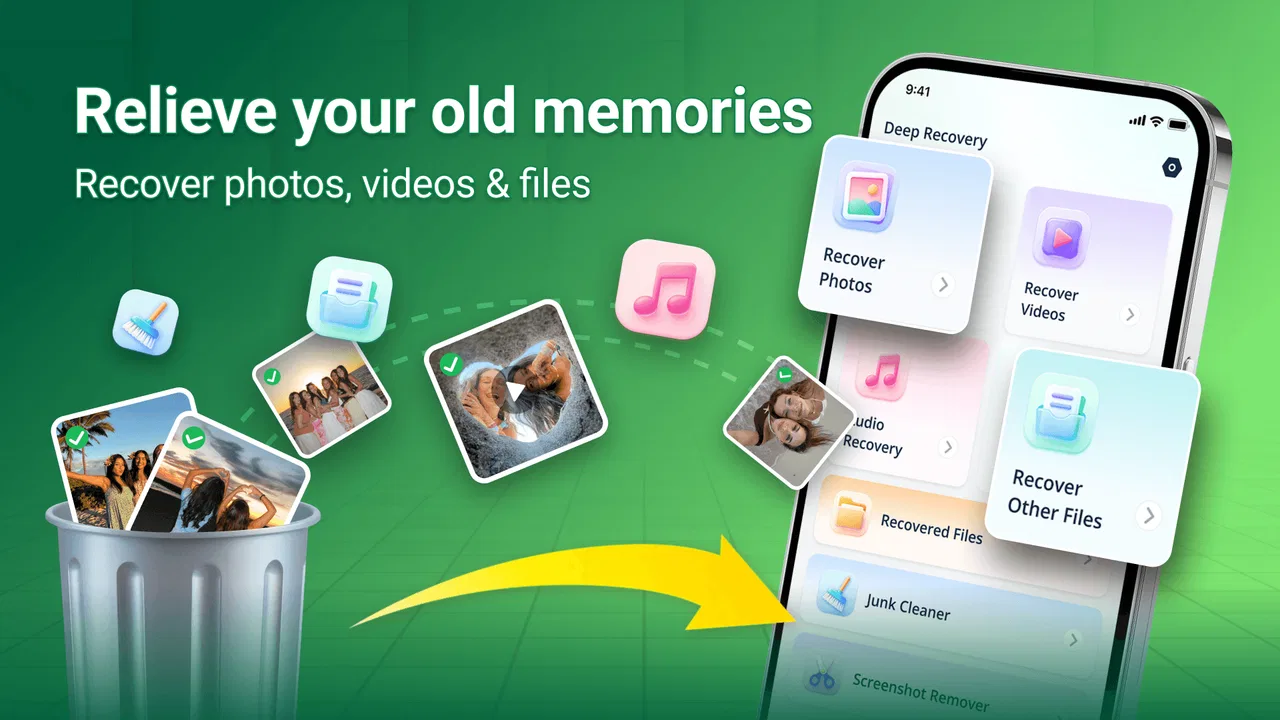
Deep Recovery - Restore All is an app designed to help users recover lost data from their devices. It works by scanning your device for traces of deleted files, allowing you to preview and restore them. The app supports various file types, including photos, videos, and documents, ensuring comprehensive data recovery.
02Is Deep Recovery - Restore All safe to use on my device?
Yes, Deep Recovery - Restore All is designed with user safety in mind. It does not overwrite existing data on your device and operates with read-only access during scans. However, it's always recommended to download apps from reputable sources, such as official app stores, to ensure maximum security.
03What types of files can be recovered using Deep Recovery - Restore All?
Deep Recovery - Restore All supports a wide range of file types, including images, videos, audio files, documents, and more. The app's powerful algorithm is designed to locate and restore these files, even if they have been deleted from your device's storage.
04Does Deep Recovery - Restore All require an internet connection to function?
No, Deep Recovery - Restore All does not require an internet connection to scan and recover files. The recovery process is performed locally on your device. However, an internet connection might be needed to download the app and for any subsequent updates.
05Is it possible to recover files that were deleted a long time ago with Deep Recovery - Restore All?
While Deep Recovery - Restore All is effective at recovering recently deleted files, the success rate for older files depends on whether they have been overwritten by new data. The sooner you use the app after deletion, the higher the chances of successful recovery.
Pros
- User-friendly interface
- easy navigation.
- Recovers a wide range of file types.
- Supports both internal and SD card recovery.
- Fast scanning and retrieval process.
- No technical skills required for use.
Cons
- In-app ads can be intrusive.
- Limited free recovery options.
- Requires permissions that may concern privacy.
- Not all files are recoverable.
- Occasional crashes on older devices.

Deep Recovery - Restore All
Gallery